Key Notes
- Claude artifacts can now be installed and shared as Mac and Windows apps in a beta rollout across all plans.
- Apps need permission for desktop features and broader file or program access.
- They still require an online Claude Desktop session, and requests count toward the existing plan allowance.
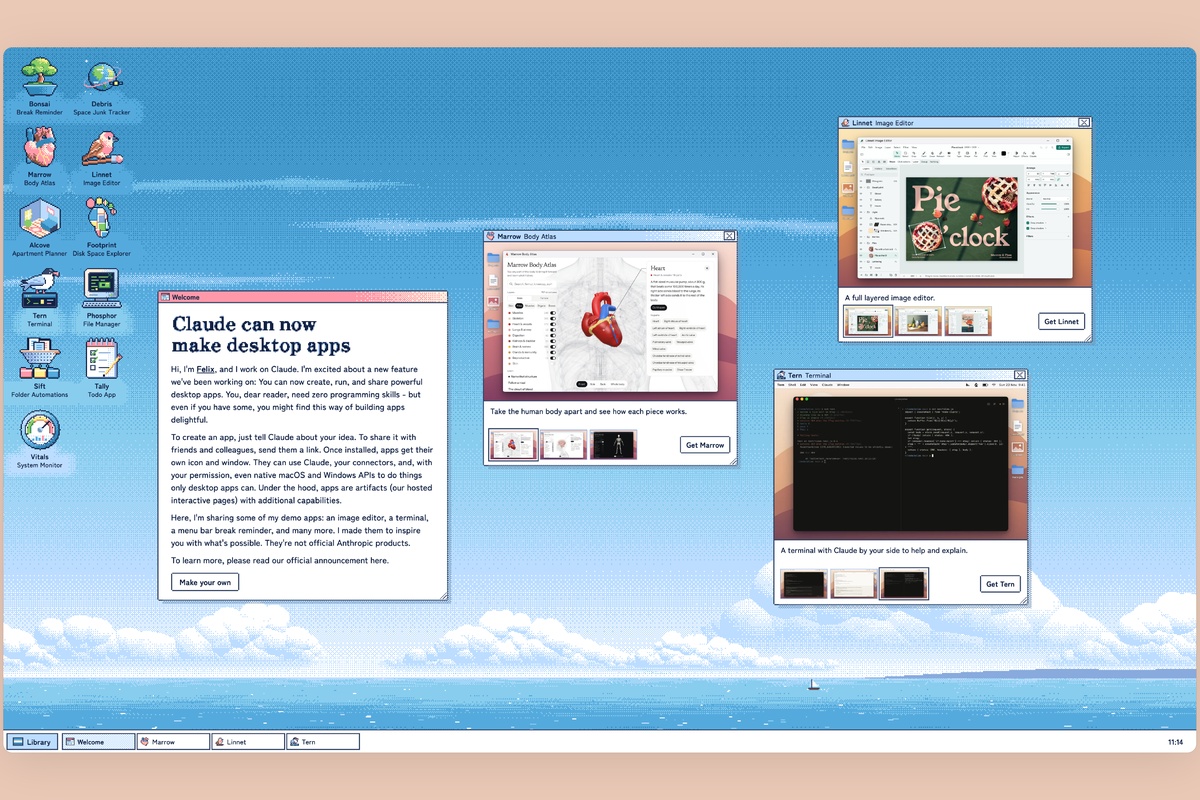
Anthropic is turning Claude’s artifacts into desktop apps, giving users a way to build personal tools in a conversation and launch them outside the chat. The new beta supports Mac and Windows, with apps that have their own icons and windows and can be shared with other users.
The company announced Install as app on November 24. It extends artifacts from interactive content inside Claude into tools that can work alongside a user’s other software.
From a Conversation to an Installed App
Users describe what they want, test the resulting artifact and select Install as app. They do not have to package or sign the app, which uses their Claude account rather than requiring a separate API key or login.
The company’s examples include a layered image editor, a file manager, a terminal with Claude assistance and a system-performance monitor. Installed apps can use Claude and connected services, and changes to the underlying artifact automatically update the app.
For a recurring workflow, that changes how an AI-generated tool is used: it can sit beside other applications instead of requiring a return to the original conversation. It also gives the creator a route to distribute improvements through the shared artifact.
Computer Access Comes in Levels
Anthropic’s installation guide sets out separate permissions for notifications, global keyboard shortcuts, floating windows and menu-bar or system-tray items. By default, installed apps have browser-level capabilities.
Full computer access is a broader permission: an app can run programs and read, change or delete files without asking about each operation. That access is restricted to apps the user made or, for workplace plans, apps made within their organization. Anthropic does not review apps before installation.
Approval covers one version, so an update triggers a new permission request. The guide notes an exception for code loaded from another website, which can change without a fresh request. The distinction matters when a small utility starts handling real files rather than simply displaying information.
All Plans, With Some Limits
The beta is rolling out across Free, Pro, Max, Ultra, Team and Enterprise plans through Claude Desktop. It is enabled by default on Team, with full computer access disabled; Enterprise owners must enable the feature.
The apps still require an internet connection and a signed-in Claude Desktop session. Building them and making requests to Claude consume the user’s plan allowance. Some artifacts, including Docs, Slides and Sheets, cannot be installed, and HIPAA-ready organizations are excluded.
The release adds another layer to Claude’s expanding app environment. Anthropic recently introduced whiteboards, spreadsheets and data tools inside Claude. This update moves user-created tools in the other direction, into their own desktop windows.
Disclaimer: AIstify is an independent media brand owned and operated by NuvexMedia LLC, publishing news, research, and insights on artificial intelligence, emerging technologies, automation, and related industries. NuvexMedia LLC invests in and collaborates with companies across the AI, technology, software, and digital innovation sectors. These relationships do not influence AIstify’s editorial coverage, and the publication maintains full editorial independence to provide accurate, timely, and objective information. © 2026 NuvexMedia LLC. All rights reserved. This content is for informational purposes only and should not be considered legal, tax, investment, financial, or other professional advice.