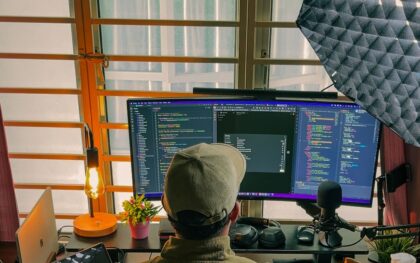
Computer-use AI agents need fresh observations, clear permissions and checks of the final result to support dependable workflows. Photo: Gustavo Alejandro Espinosa Reyes / Unsplash
Computer-Use AI Agents Explained: How They Navigate Apps and Websites
By Daniel Mercer• 10 mins read
Published:
, Updated:
Learn how computer-use AI agents navigate apps and websites, why clicks can fail, and how to test permissions, recovery and verified task completion.
A computer-use AI agent can work through an application’s interface: opening a page, entering text, navigating a menu or saving a document. Instead of only explaining how to complete a task, it can request actions that move the task forward inside a browser or desktop environment.
The capability is useful because much of everyday work happens across interfaces that do not share a convenient integration. It also makes reliability harder to judge. An agent can perform a convincing sequence of clicks while choosing the wrong record, missing a warning or leaving the final change unsaved.
This guide explains how computer-use agents observe interfaces, choose actions and check results. It also provides a practical trial you can adapt before giving an agent recurring work. The worked examples are illustrative, rather than results from a hands-on benchmark of a particular product.
What the Agent Can See and Control
Computer use combines a model with an environment and an action layer. The environment supplies observations, the model proposes what to do next and software executes permitted operations. Access might be limited to one browser session or extend to selected desktop applications, depending on the product and its configuration.
Some agents work from screenshots and coordinates. Others receive structured information about page text, controls and tabs, or combine several observation methods. OpenAI distinguishes these approaches in its driver documentation: browser drivers can report page structure, while computer drivers support screenshot-based interaction. The surrounding application owns the session and permissions.
A screenshot supplies visual context, including layouts and controls whose meaning may be hard to recover from page text alone. Structured browser information can help identify a control by its role and name. Neither view necessarily contains everything the application knows, and information outside the current observation may remain unavailable.
For example, a page may display two buttons named Save, one for a profile and another for a draft. The agent needs enough context to distinguish them. Playwright’s locator guidance describes selecting elements through roles, accessible names and labels, then narrowing the target. Such targeting can make an action more precise, but the workflow still needs to establish which change is intended.
The Observe–Act–Check Cycle
A dependable workflow repeatedly connects actions to fresh evidence. The agent observes the current state, identifies the next permitted step, performs it and inspects the result. Its plan can span several steps, but its understanding of the interface needs to keep up with changes along the way.
The official computer-use documentation describes an action handler executing permitted requests and returning an updated screenshot. It also makes a useful distinction: a model completing the generation of a tool call does not mean the application has executed that call. Execution and outcome verification remain separate parts of the workflow.
Consider an illustrative task: read three public event pages and create a local planning document with the confirmed date, location and registration link for each. First, the agent opens a source and checks that it describes the correct event edition. It extracts the details, records the source and repeats the process for the other pages.
When it opens the document editor, the agent needs a new observation of that application. It identifies the intended document, enters the notes and saves them in the agreed location. The final check should establish that the saved document contains the expected entries and usable links, rather than stopping after a Save click.
The useful output is both the artifact and a concise account of what was verified. If one event page was inaccessible or a venue remained unconfirmed, the document should preserve that uncertainty. A polished paragraph cannot substitute for missing source evidence.
Use an Interface Where It Adds Value
Computer use is one route to a result. An API, connector or application tool may provide a more direct route when it exposes the operation you need. A sensible workflow can combine these methods: retrieve records through a supported integration, then use the interface to inspect a layout or complete a step that the integration does not support.
Choose the route according to the task and available access. Looking up structured calendar entries is different from checking whether a chart is legible in a presentation. In the first case, structured data may contain the answer; in the second, the rendered interface or artifact is part of what you need to inspect.
Traditional browser automation also supplies useful controls. Playwright’s actionability checks can wait for a click target to be visible, stable, enabled and able to receive events. Those checks help avoid some timing and targeting failures. They do not establish that the selected record or requested business change is correct.
Separate access from procedure. A connector can make a capability available, while a skill can describe when and how to use it. Our guide to AI agent skills explains how reusable instructions fit around tools without independently granting account access.
Why Plausible Actions Can Still Fail
Interfaces change while an agent is working. A dialog can cover a control, a list can reorder after a filter changes or a notification can shift the layout. Coordinates chosen from an earlier screenshot may then point somewhere else. A fresh observation is especially useful after navigation, scrolling, opening a dialog or changing tabs.
Focus introduces another class of errors. Typing can land in a search field, the document body or nowhere at all, depending on which control is active. An agent should establish the destination before entering text and inspect the resulting value afterward, particularly when the application contains several editable areas.
Anthropic lists coordinate errors, tool-selection mistakes and latency among the limitations of computer use. These are practical reasons to test a complete workflow, including its interruptions, rather than evaluating only whether a model can recognize a button in an isolated image.
Retries deserve particular care. If a save or submission produced an uncertain response, repeating the same action could create a duplicate or overwrite work that actually succeeded. The next step should inspect the destination for evidence of the first attempt. When the outcome cannot be established, the agent should report the uncertainty instead of presenting another attempt as a harmless continuation.
Long workflows can also lose track of earlier constraints. A task may begin with an instruction to collect information only, then encounter a page encouraging registration or publication. Keep the original goal and limits available throughout the run, and record completed work in a form that supports recovery without guessing.
Set the Boundary Before Starting
Specify the applications, accounts and destinations the task requires. A dedicated browser profile or isolated test environment can make the starting state easier to reproduce and reduce exposure to unrelated material. The appropriate setup depends on the product: a hosted browser and an agent controlling a local desktop do not have the same visibility or data path.
Anthropic’s computer-use guidance recommends isolation, limited privileges and attention to malicious instructions in webpages or images. Our prompt injection guide explains the underlying issue: content encountered while doing a task can attempt to redirect the agent. Reading a page is different from accepting its instructions as authority.
Define which operations the agent may complete and where human review belongs. For the event-planning example, the agent can read public sources and save a draft, while registration, payment and external messaging remain outside the task. Enforce important restrictions through the application’s access controls where possible, alongside the written brief.
Plan for interruptions too. Decide what should happen if authentication expires, the site requests additional verification or the requested document already exists. A useful stopping rule preserves the current result, identifies the blocked step and gives the person taking over enough context to continue.
Keep records proportionate to the work. Screenshots and traces can help diagnose mistakes, but they may also contain personal information or account details. Decide what evidence is needed, where it will be stored and who can access it, rather than retaining every observation by default.
Test a Complete Task, Including Recovery
Begin with a workflow whose result you can check independently. Use public information and a disposable output location for the first trial. Choose a modest task that includes a few different interface states, so the test reveals more than a successful click on a static page.
For the planning-document exercise, write the expected event details yourself before the run. Afterward, compare each extracted fact and source link, check that the document is saved in the intended location and look for duplicate or omitted entries. Keep factual accuracy separate from presentation quality.
Then vary one condition at a time. Try a source with an ambiguous date, an existing output file, a delayed page load or an interrupted session. The expected behavior might be to ask a question or preserve a partial draft. These are proposed test cases, not a claim that a specific agent has passed them.
Research benchmarks help identify the broader challenge. The 2026 OSWorld 2.0 preprint evaluates long workflows and highlights problems involving dynamic interfaces, hidden state and information arriving during a task. Its results describe particular systems and test conditions; they cannot establish reliability for a different account, application or workflow.
Measure time to a verified result, including corrections and human intervention. Record successful completion, missing facts, duplicate actions and incomplete steps separately. Our guide to evaluating AI agents provides a wider framework for judging outcomes and repeatability.
A Practical Brief for Your First Run
A useful task brief gives the agent a concrete destination and a way to recognize completion. The following example keeps the first trial bounded while making uncertainty visible. Replace the placeholders with sources and an output location you have deliberately chosen.
Read the three supplied public event pages and create a planning document in the designated test folder. For each event, record the confirmed date, location and official registration link, with the source URL. Mark missing or conflicting details as unconfirmed.
Use only the supplied sites and the designated document application. Do not register, pay, send messages or replace an existing file without asking. If access fails or an action’s outcome is uncertain, inspect the current state and report what remains unresolved.
Before finishing, check the saved document, its location and its contents. Return the file location and a short list of verified facts, incomplete checks and any human intervention needed.
Review the result with the same care you would give an unfamiliar automation. Expand the scope only after the original task behaves consistently across repeat runs and reasonable interruptions. Keep the test cases when you change the model, tools or application configuration, because the same brief can behave differently in a new setup.
The most useful computer-use agent is one whose work you can inspect and whose limits you understand. Fresh observations, precise targets, clear permissions and evidence of the final state turn an impressive demonstration into a workflow you can assess on its actual results.
House Democrats want Trump’s AI conversations preserved after reports he consulted Grok about Venezuela, raising questions about military advice and oversight.