
OpenAI is shutting down ChatGPT Atlas, its standalone desktop web browser, less than a year after it launched. The company confirmed the move on July 9 alongside the release of its new unified ChatGPT desktop app, with James Sun, who leads OpenAI’s browsing work, setting a targeted deprecation date of August 9.
Atlas arrived in October 2025 as a Chromium-based browser with ChatGPT built into every layer, able to browse the web, read files and complete tasks on a user’s behalf. Its roughly nine-month run from launch to shutdown is unusually short for a consumer software product.
The closure is a consolidation rather than a retreat from browsing. OpenAI is folding Atlas’s capabilities into the new ChatGPT desktop app, which now ships with a built-in browser that can visit sites, log into accounts and download files, plus tabs, a password manager and autofill.
A separate cloud browser runs on OpenAI’s servers so agents can complete tasks remotely, and the company is extending a ChatGPT side panel into Google Chrome as an extension. That last piece matters: by meeting users inside Chrome, OpenAI removes much of the reason to run a dedicated browser at all. Sun framed the shutdown as learning rather than failure, saying the new features were built on lessons from Atlas users who “took a leap of faith on a new browser.” OpenAI has also dropped a planned Windows version of Atlas.
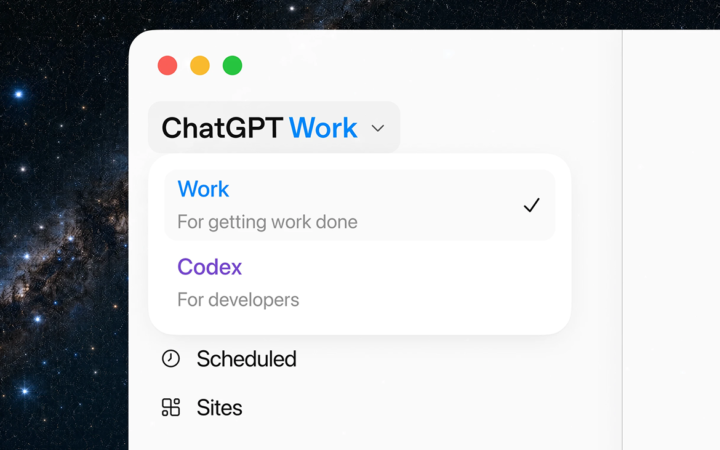
The retreat fits a broader housecleaning at OpenAI, which has been cutting side projects to sharpen its focus on productivity and compete with Anthropic. The company recently shut down its Sora video app and shelved a planned adult mode for ChatGPT. The Wall Street Journal had reported in March that OpenAI wanted a desktop “super app” to simplify a sprawling product line, and the new ChatGPT Work app, launched the same day, appears to be that destination. Running a separate browser is costly and complex, so absorbing its functions into one app reduces what OpenAI has to maintain.
What Killing Atlas Signals
The quick reversal reflects a strategic judgment about where AI assistance should live. OpenAI is betting that the entry point is ChatGPT itself, not a separate browser, and that an assistant embedded across the desktop and inside Chrome serves users better than a standalone app they must adopt wholesale.
Atlas always faced a steep climb: it asked people to switch from Chrome to a browser built on the same Chromium engine but with fewer features, and Google quickly copied its best ideas, like tab awareness and multi-tab actions, directly into Chrome, blunting its appeal. The lesson OpenAI drew is that winning the “front door to the web” may not require owning the browser, only being present in whichever one people already use.
A Crowded, Risky Category
Atlas’s short life says something about the AI browser race more broadly. The category is barely a year old yet already crowded, with Perplexity’s Comet, Anthropic’s Claude browser extension and AI features from Google, Microsoft, Opera and Firefox all chasing the same agentic-browsing goal.
It is also proving genuinely risky. Security researchers recently tricked six AI browsers, Atlas among them, into leaking user credentials, a reminder that letting an agent roam the web with a person’s logins is not yet safe. Consolidating into one app narrows the number of products to secure but concentrates more user activity, and more sensitive access, inside OpenAI’s ecosystem. Whether that trade improves safety or simply centralizes the risk will depend on how the new desktop app’s browsing and permissions hold up under real use.